Launch App

Transform Complex AI Tasks into Simple Visual Workflows

Decompose problems and data for ingestion. Compose workflows with atomic and reasoning agents. Build tools for agents. Worksona Studio enables flow.

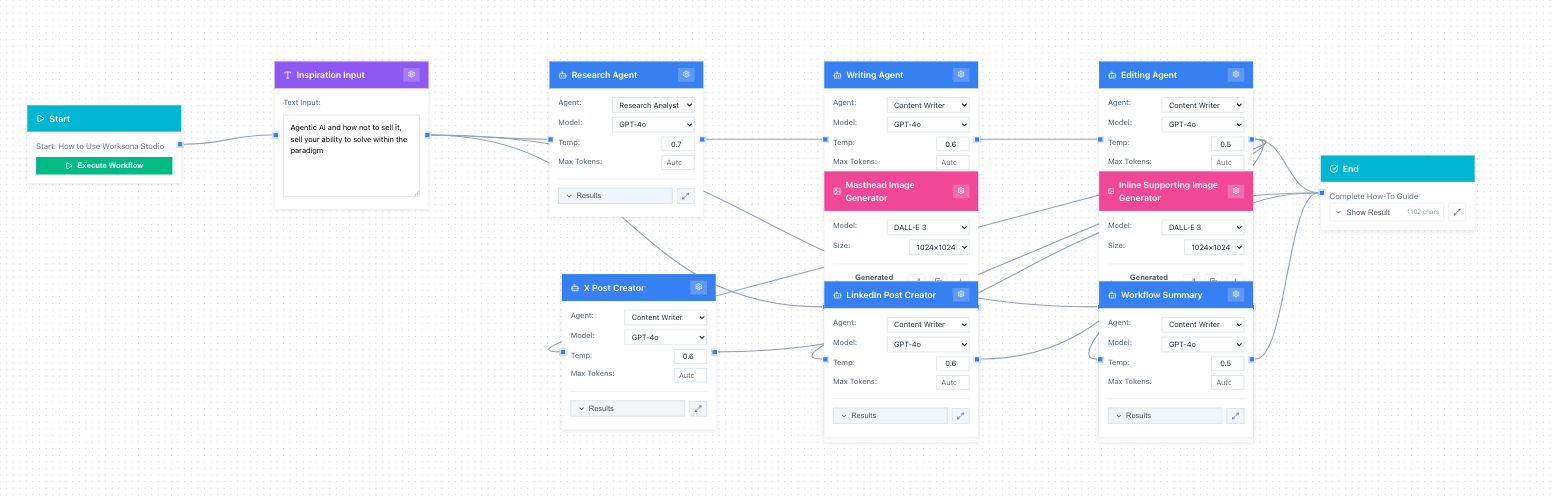
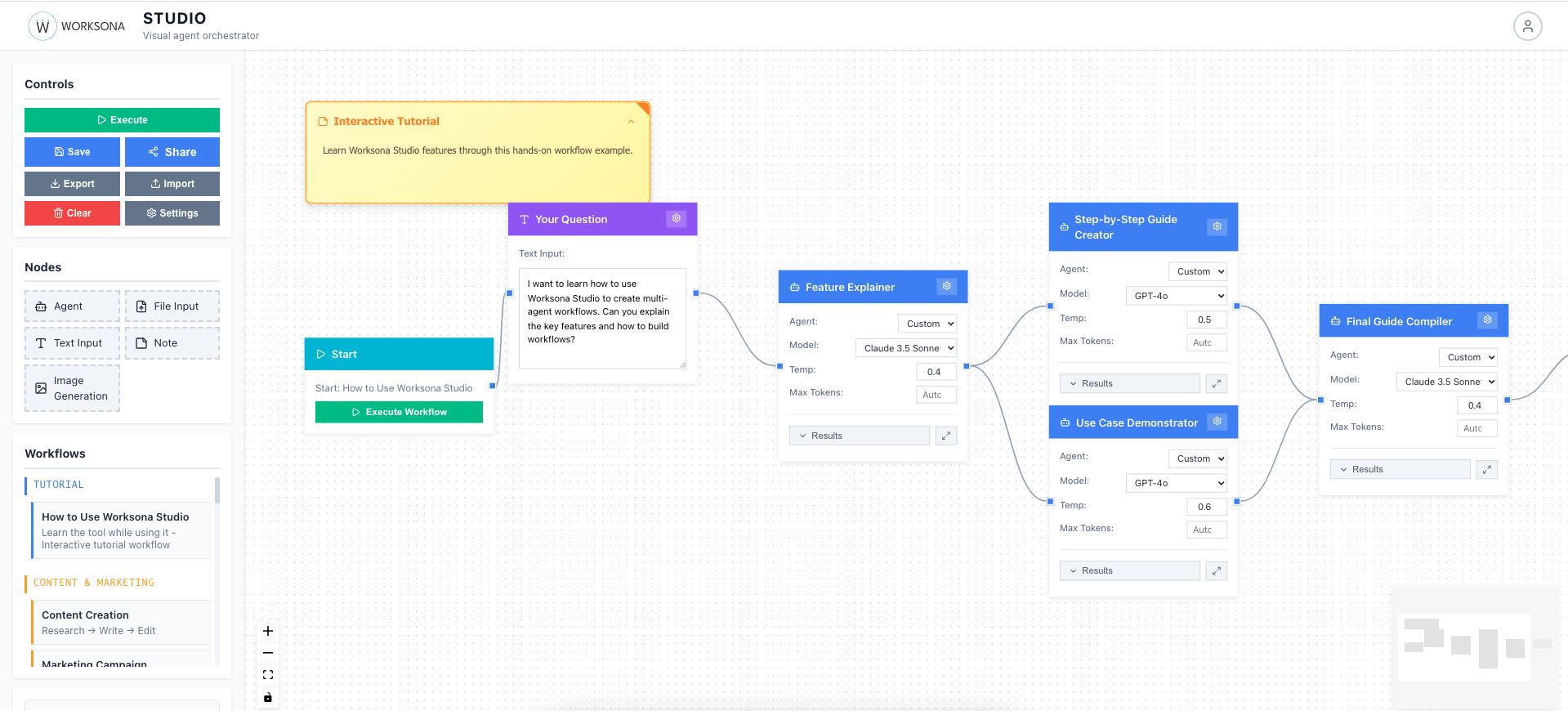
Worksona Studio Interface showing interactive tutorial workflow with multiple agents connected
Decompose
Break down problems & data
Compose
Build atomic & reasoning flows
Extend
Agents have tools, build tools
Vibe
The whole tool enables flow

Powerful Features for AI Automation

Decompose, compose, and extend—everything you need to build sophisticated multi-agent workflows

Visual Workflow Builder

Design complex AI workflows using an intuitive node-based interface. Connect inputs, agents, and outputs with simple drag-and-drop operations.

Multi-Agent Orchestration

Chain multiple AI agents together seamlessly. Pass outputs from one agent to the next, creating sophisticated multi-step workflows.

Multi-Provider AI Support

Access GPT-4o, Claude 3.5 Sonnet, and Gemini 1.5 Pro. Switch between providers and models without changing your workflow. Each agent can use different models.

Agent Tools & Extensions

Agents can use file processors, image generators, and custom tools. Build your own tools and give agents new capabilities. Extend the system infinitely.

Atomic & Reasoning Agents

Combine simple atomic agents with complex reasoning agents. Build emergent intelligence from composable parts. Create workflows that think.

Pre-Built Templates

Start fast with professionally designed workflows for content creation, research, infographic generation, and business analysis.

Real-Time Execution

Watch your workflows execute live. See progress as each agent completes, view intermediate outputs, and debug issues instantly.

Workflow Sharing

Auto-save with IndexedDB, export/import workflows as JSON, share via URL, and track execution history.

Design Workflows with Natural Language

Describe what you want, and our AI assistant creates and modifies workflows for you—no coding required

Workflow AI Assistant

Simply describe your workflow in plain English, and watch as our intelligent chatbot instantly designs it for you. The AI understands complex requirements and translates them into fully functional multi-agent workflows.

  • 💬 Natural Language Input
    Describe workflows conversationally—no technical jargon needed
  • 🎯 Instant Creation
    AI generates complete workflows with nodes, connections, and configurations
  • ✏️ Iterative Editing
    Refine and modify workflows by chatting—add nodes, change connections, adjust settings
  • 🧠 Context-Aware
    The AI remembers your conversation and understands your current workflow state
  • ⚡ Intelligent Suggestions
    Get smart recommendations for agents, models, and workflow optimizations

"Create a blog article writing workflow with inspiration input, research, writing, editing, masthead image, inline supporting image, X post, and linked in post, and summary of workflow output"

→ AI instantly designs a 9-node workflow with proper connections and configurations
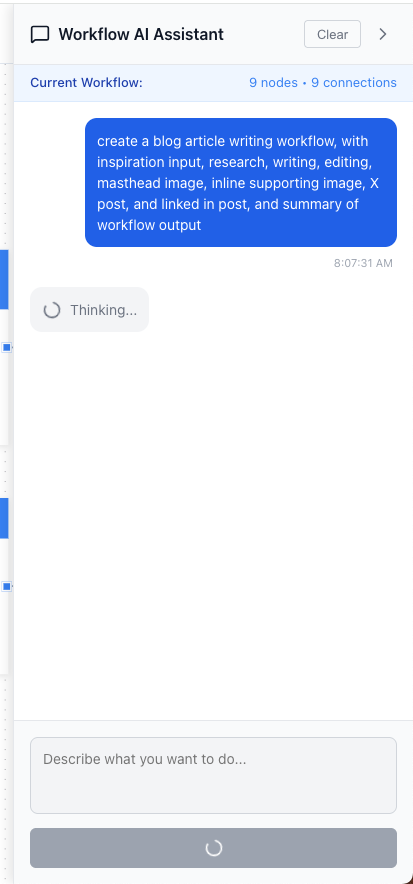
Workflow AI Assistant
⚡ AI-Generated Result

Working Agentic Workflow

From conversation to execution-ready workflow in seconds—complete with 9 interconnected agents, proper data flow, and intelligent configurations

AI-Generated Agentic Workflow
9 Nodes • 9 Connections
📥
Input Node
Inspiration source
🤖
6 AI Agents
Research, write, edit
🎨
2 Image Generators
Masthead & inline
📊
Summary Output
Complete workflow result
Fully Configured & Ready to Execute

Each agent is pre-configured with the right model (GPT-4o, Claude), optimal temperature settings, appropriate token limits, and intelligent prompts. All connections are properly routed for data flow from inspiration input through research, writing, editing, image generation, social posts, to final summary output.

💬

Chat-First Workflow Design

The fastest way to go from idea to execution

10x Faster
Create complex workflows in seconds instead of minutes
Zero Learning Curve
No tutorials needed—just describe what you want
Continuously Improve
Iterate and refine workflows through conversation

See It In Action

Visual, intuitive, powerful—designed for flow

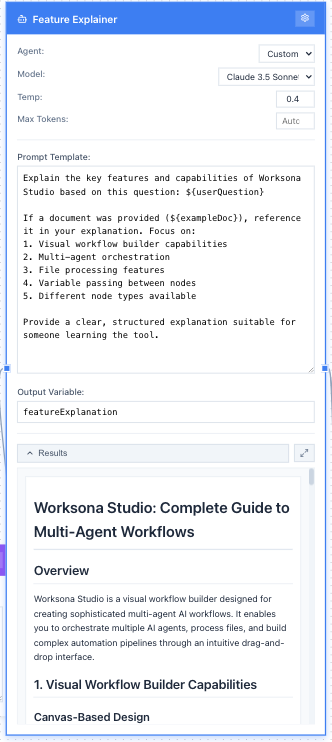
Agent Configuration Panel

Configure Your Agents

Each agent node gives you fine-grained control over AI behavior. Select from multiple models (GPT-4, Claude, Gemini), adjust temperature for creativity vs. consistency, set token limits, and craft detailed system prompts.

  • ▸ Model selection with instant switching
  • ▸ Temperature slider for precise control
  • ▸ Prompt editor with variable support
  • ▸ Real-time validation and feedback
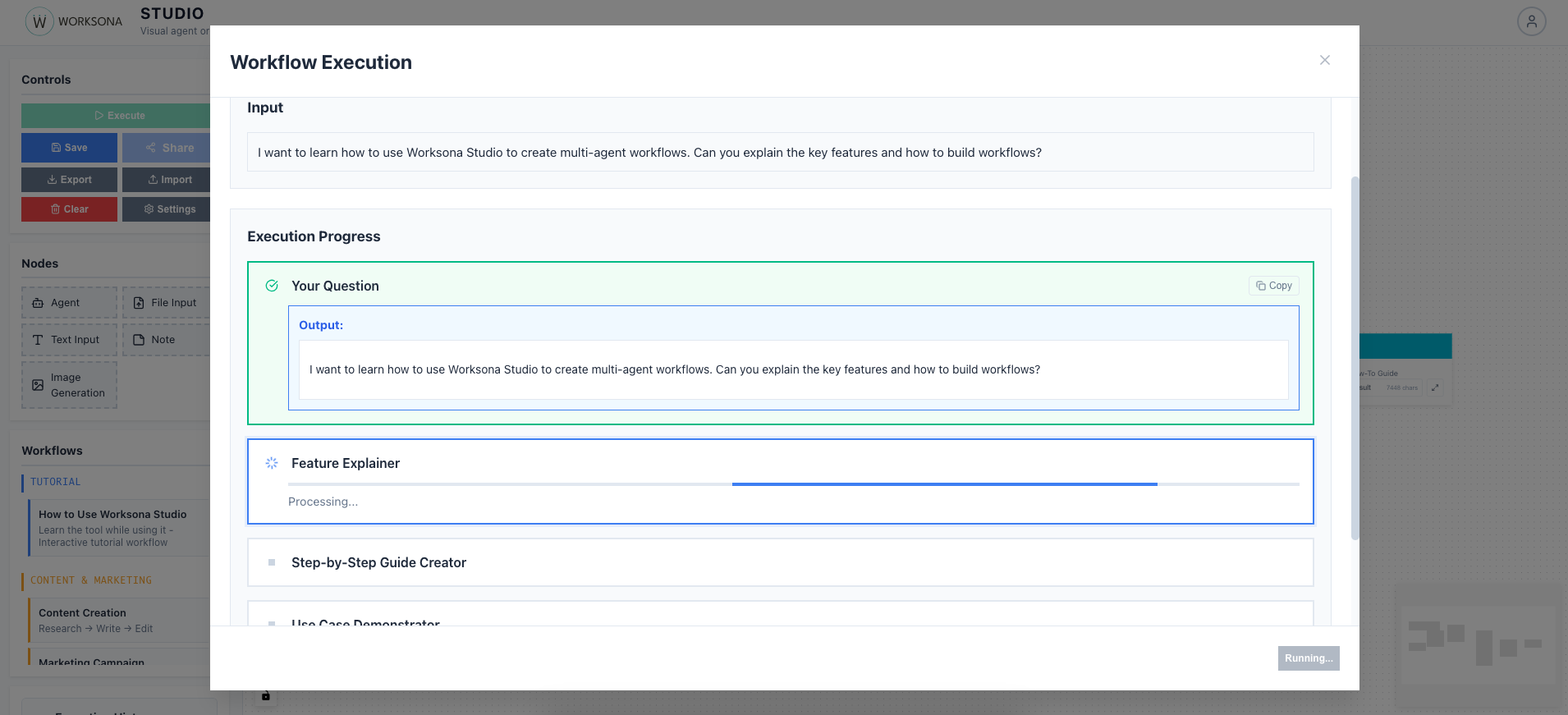
Workflow Execution View

Watch Workflows Execute

Real-time execution shows you exactly what's happening at each step. Progress indicators on nodes, streaming output display, execution timeline, and the ability to pause or resume mid-workflow.

  • ▸ Live progress indicators on each node
  • ▸ Streaming output as agents respond
  • ▸ Execution timeline and history
  • ▸ Pause, resume, or debug anytime
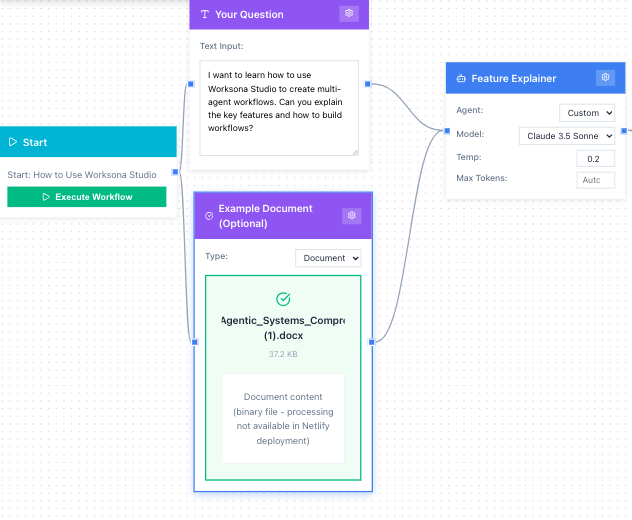
File Processing Node

Process Files Seamlessly

Upload documents, images, code, or data files. Automatic type detection, content extraction, and intelligent preprocessing prepare your files for agent consumption.

  • ▸ Drag-and-drop file uploads
  • ▸ Supports PDF, images, code, CSV, JSON
  • ▸ Preview extracted content
  • ▸ Processing status and validation
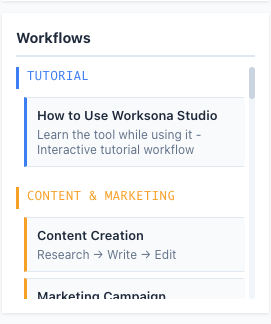
Template Library

Start from Templates

Pre-built workflows organized by category get you started instantly. Tutorial workflows teach the tool, content templates accelerate creation, research pipelines handle investigation, and business workflows solve common problems.

  • ▸ Categorized by use case
  • ▸ One-click loading
  • ▸ Fully customizable after loading
  • ▸ Learn from examples
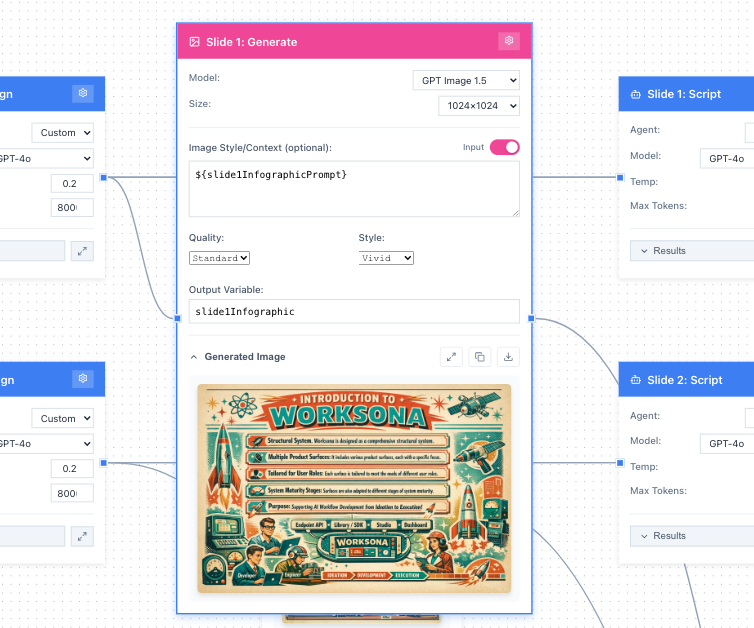
Image Generation Node

Generate Images

Create images directly in your workflows. Choose between DALL-E 3 and GPT-Image-1.5, configure size and quality, write detailed prompts with variable support, and preview generated images inline.

  • ▸ Multiple model options
  • ▸ Size and quality controls
  • ▸ Prompt editor with variables
  • ▸ Inline preview and download

How It Works

From idea to automation in five simple steps

1

Design Your Workflow

Drag nodes onto the canvas and connect them to define your AI workflow. Start with a user input, add agent nodes for processing, and end with your desired output.

2

Configure Your Agents

Click on any agent to customize—choose your AI model, set temperature for creativity control, write custom prompts. Add tools and capabilities to each agent as needed.

3

Connect Data Flow

Draw connections between nodes to pass data. Agents automatically reference previous outputs using variables. Build complex data pipelines where reasoning emerges from simple connections.

4

Execute & Monitor

Click "Execute Workflow" and watch your automation run in real-time. See each agent's output as it completes. Review results and iterate.

5

Save & Reuse

Save successful workflows as templates. Share them with your team. Export as JSON for version control. Build a library of reusable automation.

Workflows in Practice

See decomposition and composition in real workflows

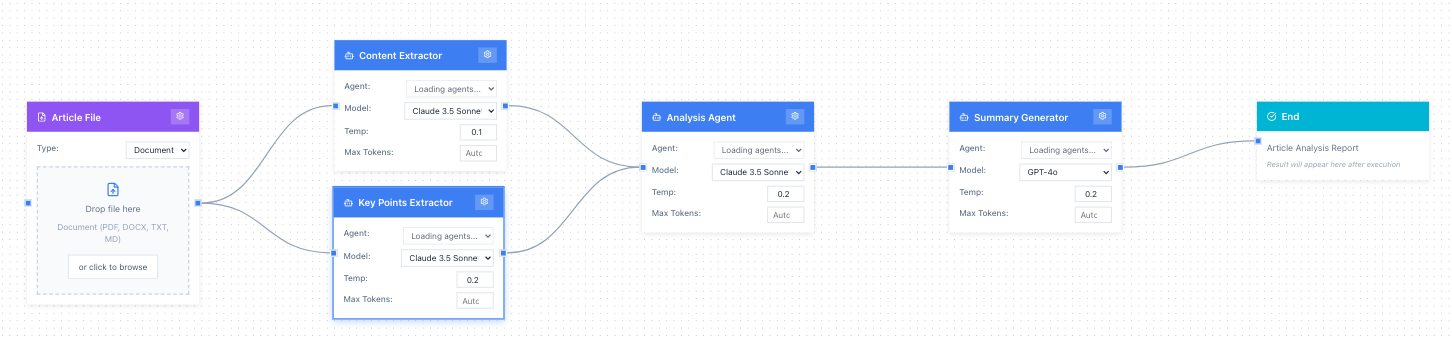
Document Decomposition Workflow

Document Decomposition

Pattern: Complex → Atomic → Synthesized

Take a PDF document, extract and split it into logical sections, process each section with specialized agents (summarizer, fact-checker, sentiment analyzer), then compile all analyses into a comprehensive report.

Use case: Legal document review, research paper analysis, contract summarization, regulatory compliance checks.

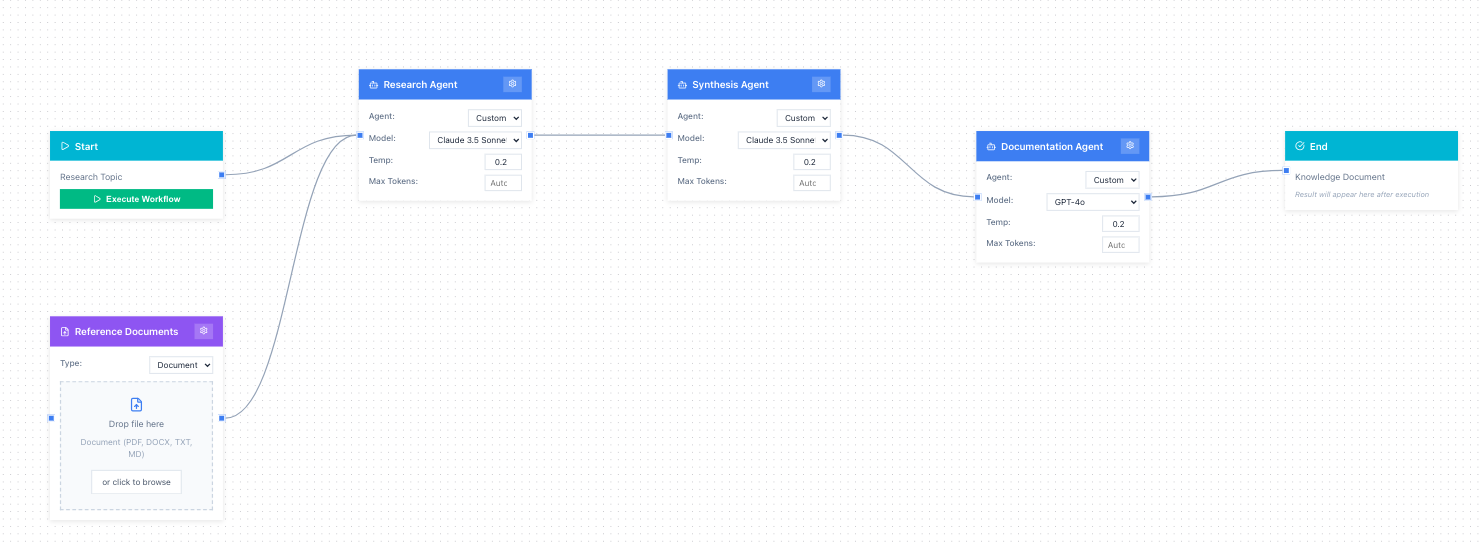
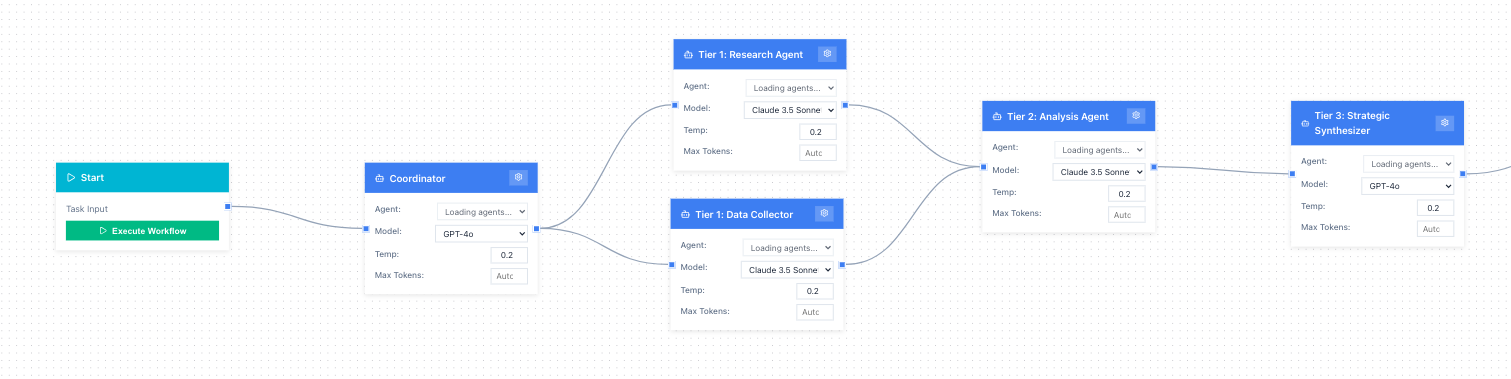
Multi-Agent Research Pipeline

Multi-Agent Research Pipeline

Pattern: Sequential Composition

Start with a user topic, pass it to a research agent to gather data, send findings to a data analyst to identify patterns, have a content writer draft an article based on insights, then refine with an editor agent for final output.

Use case: Content creation, market research reports, competitive analysis, technical documentation.

Parallel Processing Workflow

Parallel Processing

Pattern: Decompose → Parallel → Converge

Input branches to multiple agents processing different aspects simultaneously (e.g., multiple data sources, different analytical perspectives, various content formats), then all outputs converge to a synthesis agent that creates a unified result.

Use case: Multi-source data analysis, A/B testing evaluation, comprehensive competitive research, cross-functional project planning.

The Worksona Philosophy

A new way to think about AI workflows

Decompose

Break Down Complexity

Take complex problems and data sources and decompose them into manageable pieces. Upload documents, extract insights, parse code, analyze spreadsheets. Break everything down into atomic units ready for processing.

Compose

Build with Atomic & Reasoning Agents

Compose sophisticated workflows by connecting atomic agents (single-purpose, focused) and reasoning agents (multi-step, analytical). Chain them together to create emergent intelligence from simple building blocks.

Extend

Agents Have Tools, Build Tools

Agents aren't just prompt templates—they have tools and can use tools. Build custom tools for your agents. Create file processors, data analyzers, image generators. Give your agents the capabilities they need.

Vibe

The Whole Tool Enables Flow

Everything in Worksona Studio is designed to keep you in flow state. Visual feedback, real-time execution, intuitive connections. The interface gets out of your way so you can focus on creating.

Built for Every Use Case

From content marketing to business intelligence

Content Marketing

  • Blog post research and writing
  • Social media content
  • Email campaigns
  • SEO-optimized articles

Business Intelligence

  • Competitive analysis
  • Market research synthesis
  • Financial reports
  • Strategic planning

Creative Production

  • Infographic generation
  • Marketing copy variations
  • Brand messaging
  • Visual asset creation

Technical Documentation

  • Code documentation
  • API references
  • Technical tutorials
  • Knowledge bases

Who It's For

Powerful enough for experts, simple enough for everyone

Content Creators

Generate research-backed articles and marketing materials faster than ever

Marketing Teams

Create campaigns and produce multi-channel content with consistent messaging

Business Analysts

Automate research and generate professional reports in minutes

Product Managers

Research markets, analyze feedback, and create documentation efficiently

Developers

Prototype multi-agent systems and experiment with AI architectures visually

Entrepreneurs

Access enterprise-level AI automation without a technical team

Start Building Now

Worksona Studio is a free, production-ready web application. No installation required.

Launch the app in your browser and start creating AI workflows immediately. Save your work locally, share workflows via URL, or export as JSON. Connect your own API keys for OpenAI, Anthropic, and Google models.

Launch Worksona Studio

No signup required · Works in any modern browser